Honor & Ash: Going Mobile Before It Got Harder
Play it here: tristanbabcock.com/honorashdemo
On my last project I treated mobile support as a coat of paint I’d add at the end. By the time “the end” actually arrived, the whole UI had quietly baked in desktop-only assumptions — hover states, layouts sized for a mouse and a keyboard existing at the same time — and “add mobile support” turned into “rebuild a chunk of the input and layout layer.” I didn’t want to make that mistake twice, so this time around I went after mobile early, while Honor & Ash is still small enough that converting it is a focused week of work rather than a rewrite. That turned out to be the right call: it was genuinely easy to do now, and every week I put it off would have meant more desktop-only assumptions to unwind later.
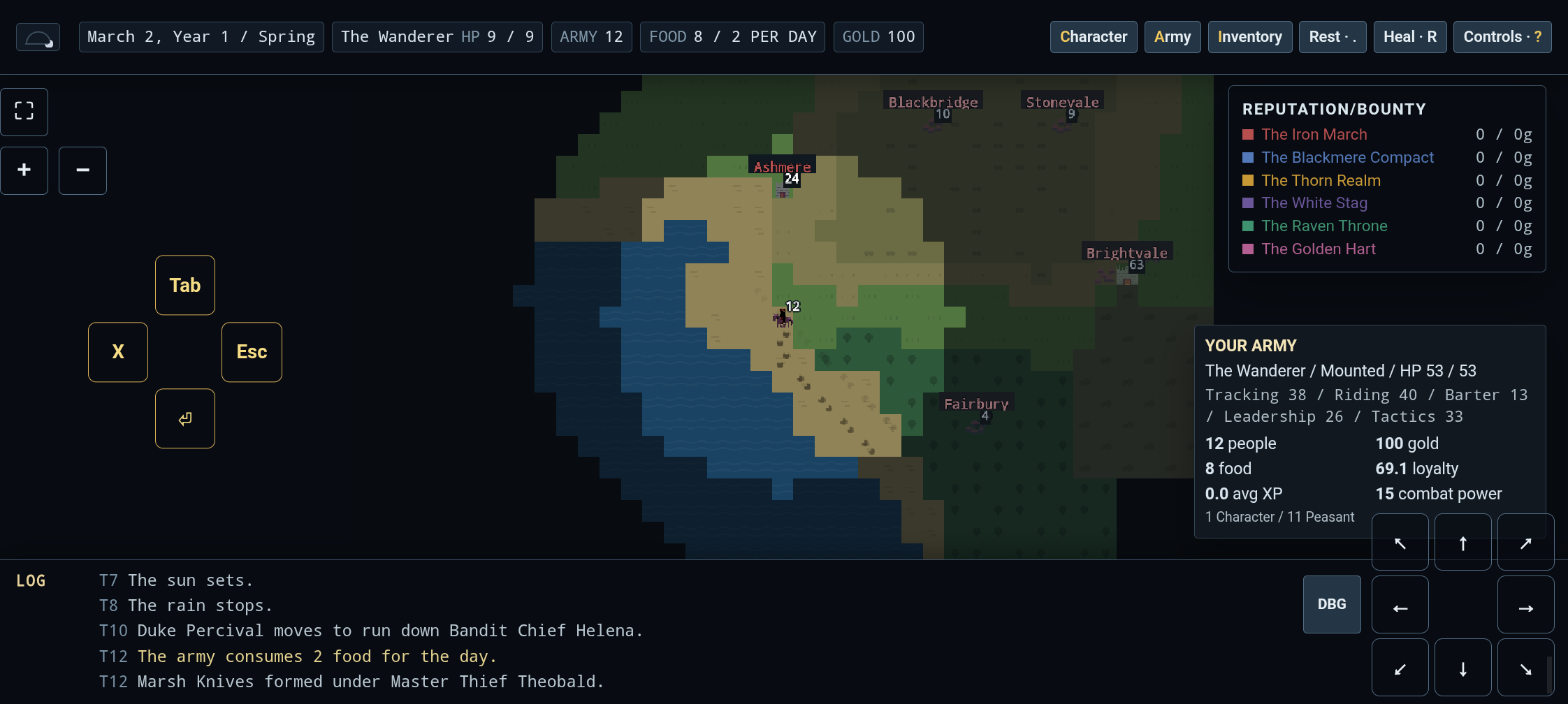
The mobile pass from a couple weeks back covered the basics: a fullscreen toggle, an on-screen D-pad, and a diamond of face buttons standing in for the keyboard. This round was about the rough edges. The fullscreen button was drifting out of alignment once the browser was actually in true fullscreen instead of just the CSS approximation, so I fixed it to stay flush regardless of which fullscreen mode is active, and added a pair of zoom buttons stacked underneath it for phones where the default scale is too small to read comfortably. The trickier problem was that there’s no reliable way to detect “this is a touch device that hasn’t gone fullscreen yet” — the D-pad and face buttons don’t even exist until fullscreen is on, so a first-time mobile player had no obvious way to discover them. The fix was a small dismissible tip that nudges toward the fullscreen button specifically, rather than trying to guess at device capabilities.
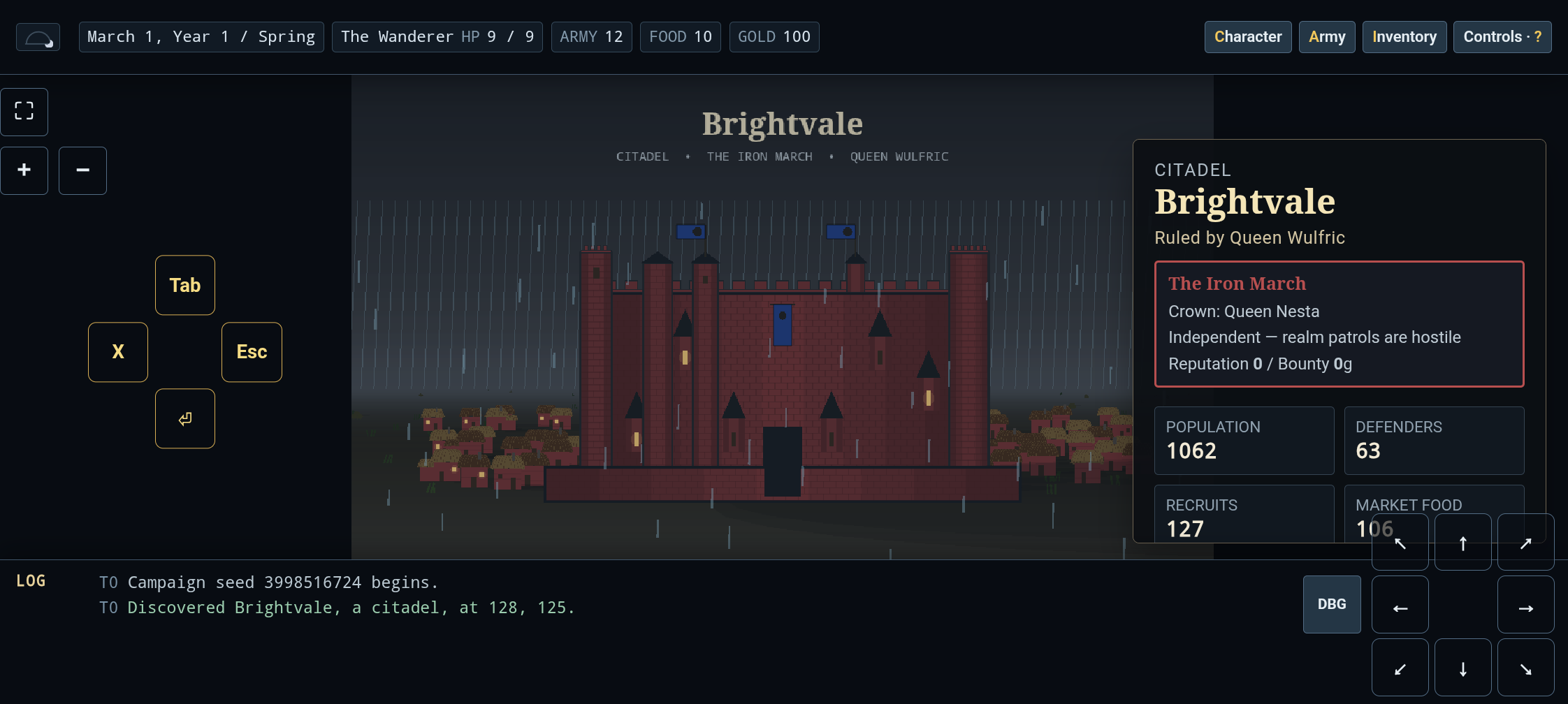
I also put more time into the settlement generation, which has been an ongoing project since the last post. Keeps and citadels were reading as boxy — every tower floor-to-ceiling, every wall flat — so I added a round-shading pass: a gradient shade running from the edge of a structure toward its center, applied consistently across towers, the main keep body, the curtain wall, and oriels, so a building can read as cylindrical instead of a flat rectangle with a roof. It’s a toggle in debug rather than a hard rule, because flat walls are correct too, just not the only option. Towers and oriels were also stepping on each other — towers overlapping the entryway, oriels overlapping towers — so towers now flank the entry instead of covering it, and oriels got shrunk down so they actually fit on a tower face instead of spilling past its edges. The chemise (the outer wall ringing a castle) wasn’t reaching the base of its own towers, so I extended it a full brick further south to actually enclose them, and swapped the portcullis for a pair of open doors, since a portcullis sitting visibly lower than the gate it’s supposed to cover looked like a rendering bug even when it wasn’t one.
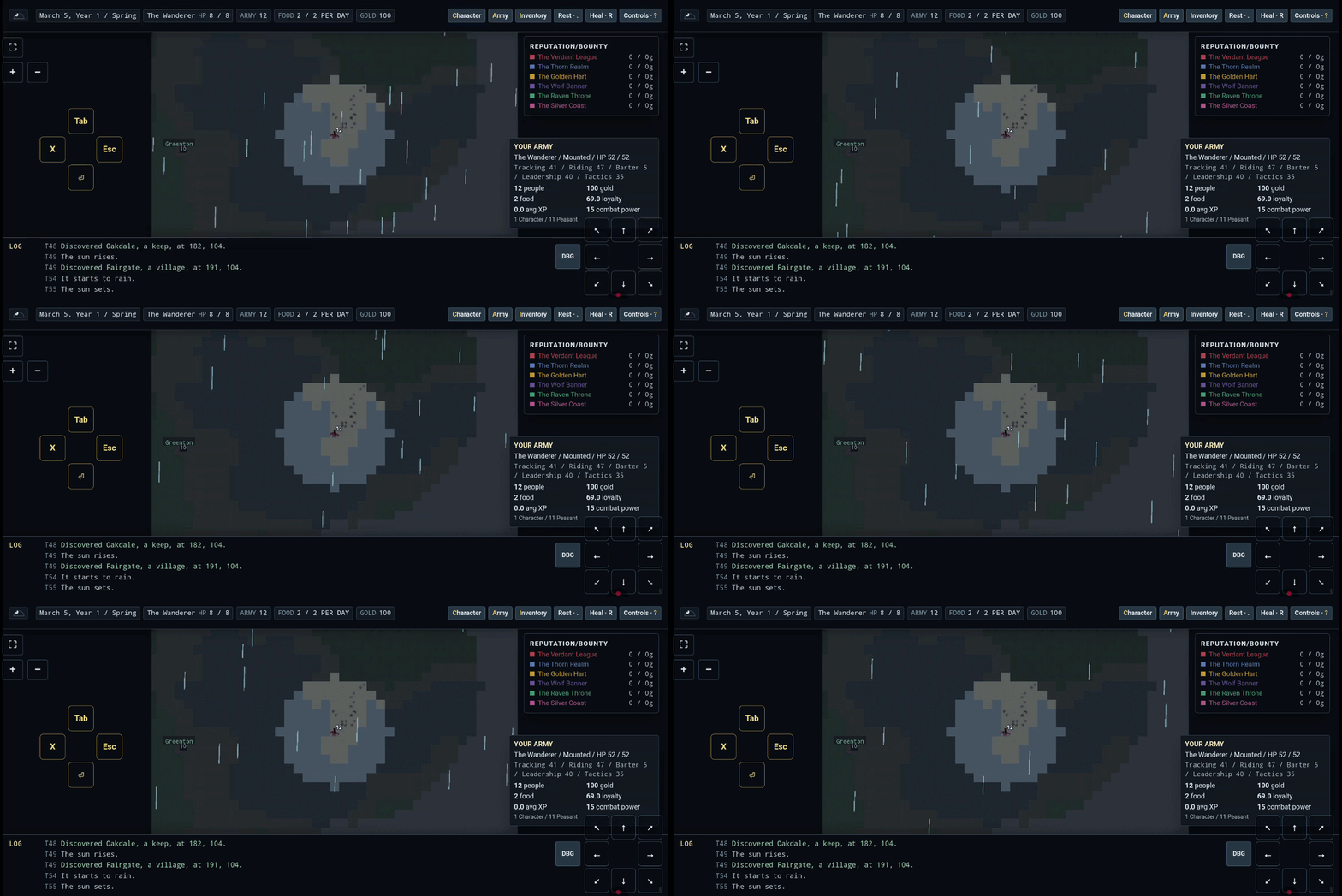
The other big chunk of this stretch was weather on the overworld map. There’s been a weather system driving the wild-encounter and settlement screens for a while — fair, cloudy, rainy, stormy, tied to the same deterministic world state the simulation runs on — but the map itself stayed clear no matter what the game log said. Now it doesn’t: haze and desaturation build up progressively from fair through stormy, the sea greys out first and hardest since open water reads weather changes before land does, and rain is actually animated rather than a static overlay, falling at a slight 1–3 degree angle instead of dead vertical. Getting the intensity right took a couple of overcorrections — my first pass at “more dramatic” was roughly twice too much rain at a nearly-vertical angle, which read more like a car wash than a storm, so I dialed it back to something that actually looks like weather instead of a filter.
Same workflow as everything else that’s gone up here: TypeScript, Phaser, a real test suite, and a loop of “here’s a screenshot, here’s what’s wrong with it,” run with coding agents. Visual bugs are the easiest kind to work this way — they’re trivial to describe and trivial to confirm fixed, you just look at the picture — which is as true of “the rain is too vertical” as it was of “the tower is a brick narrower than its neighbors.”